New Features

Workforce Analytics

Managing your team's performance and queue capacity just got a lot easier.

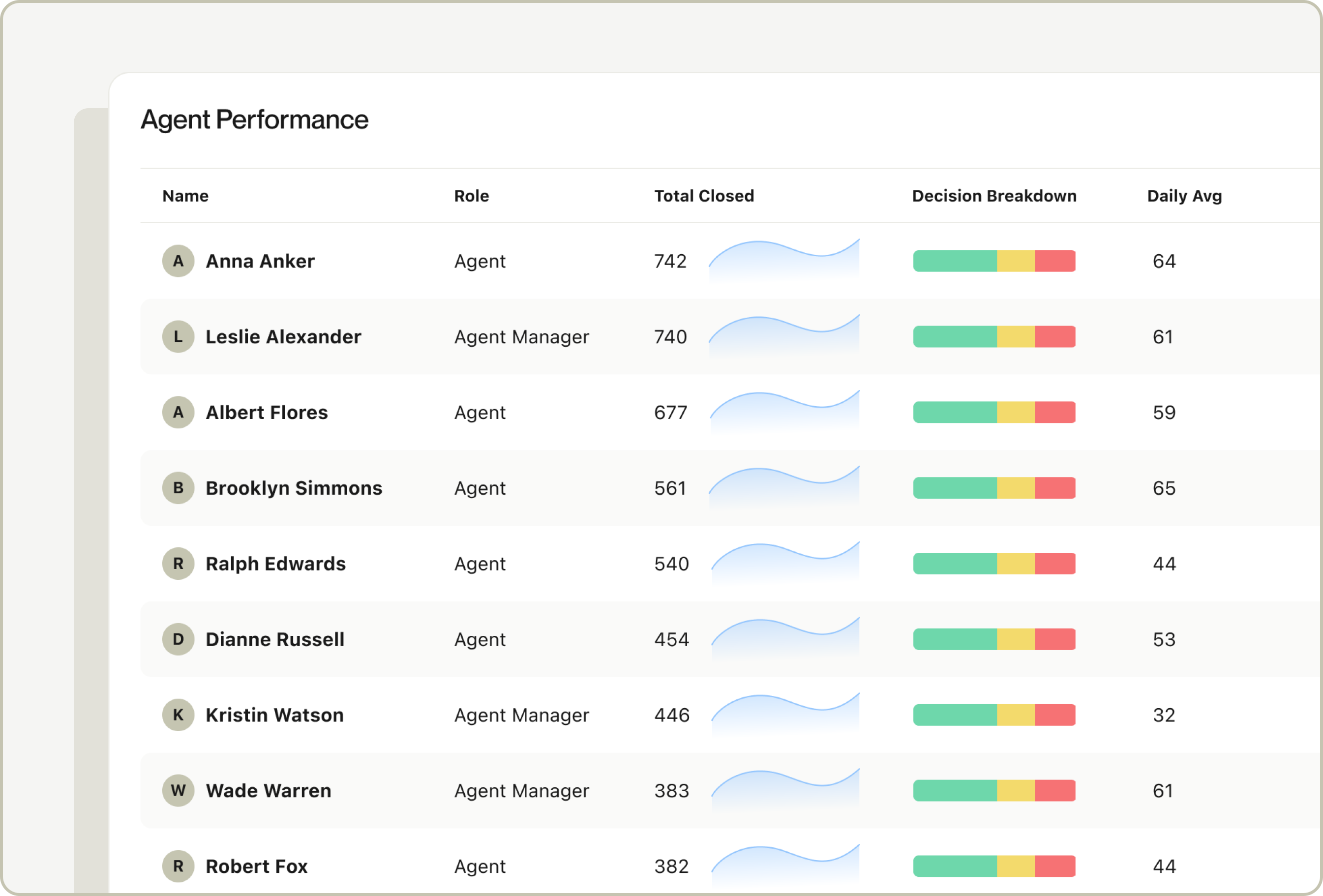
We're excited to introduce Workforce Analytics, your new tool for tracking agent and team performance directly within Alloy. Workforce Analytics gives Agent and Operations Managers visibility into team performance, queue volumes, and individual output, so you can make smarter staffing decisions and keep queue wait times down, without relying on manual reports.

With Workforce Analytics, you can:

  • Measure agent performance: Track individual output to identify top performers and surface coaching and training opportunities across your team.
  • Understand team capacity: Monitor overall review volumes and estimate team capacity to make more informed staffing decisions.
  • Act on top KPIs: Access high-level insights with deep-links into specific sections so you can quickly get to the data that matters most.

Workforce Analytics is available for accounts utilizing Journeys and roles with the "Agent can view workforce analytics" permission enabled. To get started, navigate to the Analytics section in your Alloy dashboard.

What we shipped (Feb. ‘25 - April ‘26)

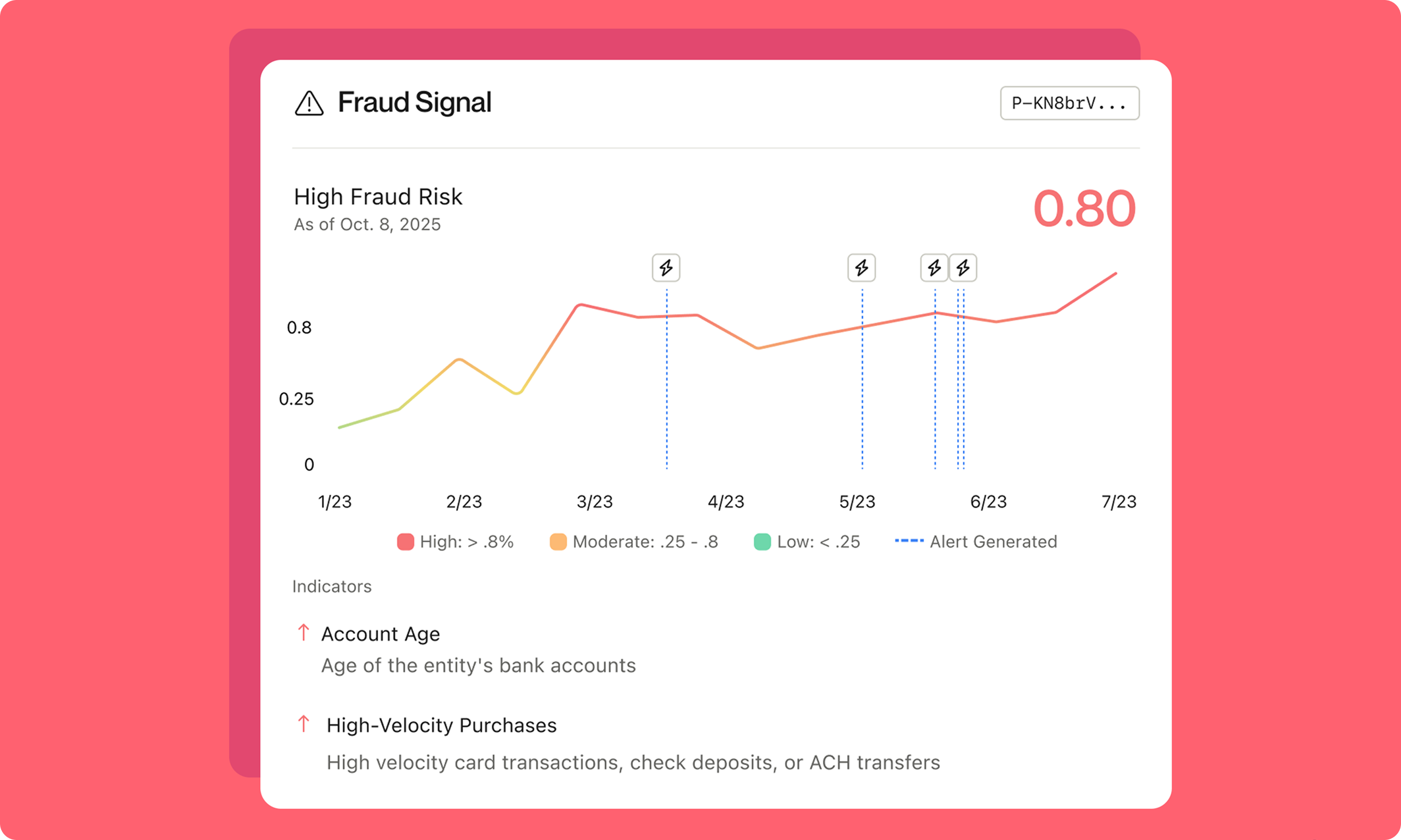
From deeper Fraud Signal context to perpetual KYB and a more powerful AI Assistant, Q1 was a big quarter. See everything we shipped in our latest blog post.

Backtesting for Workflows

Testing workflow changes before they go live is now easier than ever.

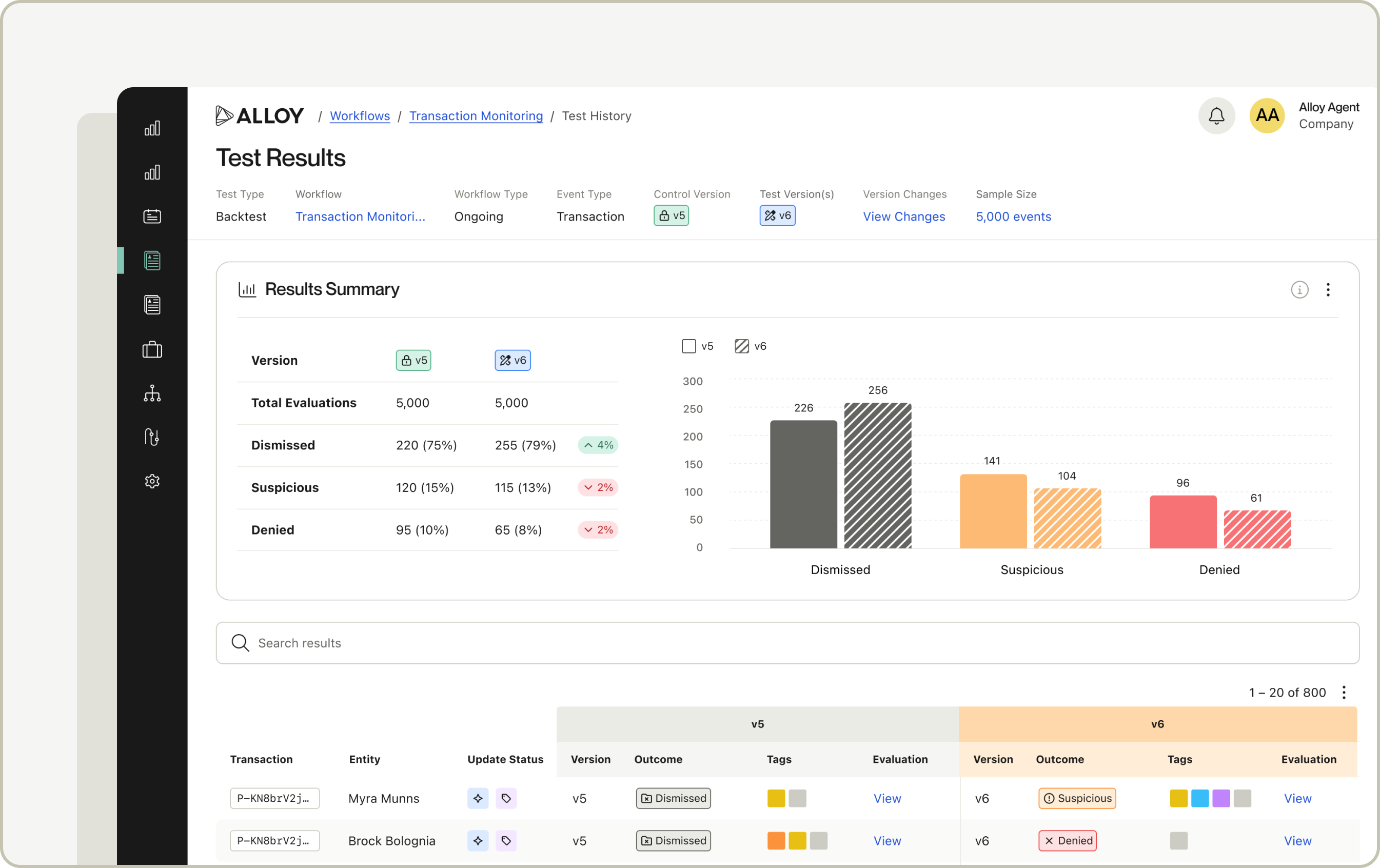
We're excited to introduce Backtesting, your new tool for validating workflow logic against real historical data before making any changes active. Backtesting allows you to replay past events through a test version of your workflow and compare outcomes side by side, all without touching your production environment.

With Backtesting, you can:

  • Validate before go-live: Confirm your workflow is behaving as expected by running historical data through it before setting it active.
  • Experiment safely: All results are fully informational and excluded from live queues, analytics, and billing. There's no risk in testing.
  • Optimize continuously: Measure how rule or threshold changes affect outcomes and alert volumes without waiting for new data to come in.
  • Investigate outcome shifts: Click into any individual evaluation to view rule explainability and see exactly which rules fired and why.

To get started, open any workflow, click "Test," and select the Backtest option from the Testing Suite. You can also check out this guide for more information.

What we shipped (Nov. ‘25 - Jan. ‘26)

Actionable, agile and easy - over the last year we shipped a wave of new features to help teams stay ahead of fraud risk while growing their business. Learn more about everything we released last year in our latest blog post.

Custom Transaction Attributes


Mirroring the existing Entity Custom Attribute Functionality (previously known as a Published Attribute), users now have the ability to configure and persist custom columns on Transactions in Alloy.

This functionality will accommodate use cases where Alloy has no standard schema field to handle data that you want to ingest and store within Alloy.

Data can be leveraged for decisioning and will be visible within the recent Transactions table both within individual Evaluations and also on the entity profile. These values will also be available for Aggregations & Velocity checks as part of a separate ongoing initiative.

Attaching Evidence to Transactions & Bank Accounts in Investigations

Users can now attach notes and/or upload supporting documentation to customer transactions and bank accounts as "evidence” - all from the Investigations UI! 

Here’s What You Should Know:

  • Notes and documents can be added from the ellipsis menu on any transaction or bank account from within an Investigation.
  • Any notes or documents added are shown in the Investigation timeline to improve visibility and traceability across teams.
  • When notes or documents are attached, there’s an indicator in the transactions table or bank account header.
  • Users must have permission to view & add evidence, which can be enabled in Settings. 

Copy/Paste Functionality in Workflows

Building workflows is now faster and more reliable. Alloy’s new copy/paste functionality enables teams to easily reuse workflow components within and across workflows, and across accounts. 

Portability Across Workflows

With this release, copy/paste is supported across a range of contexts.

You can now:

  • Copy/Paste entire workflows or specific nodes (includes upstream logic from the node)
  • Paste logic across workflows in the same account
  • Paste logic between test and production accounts

Merge Logic: Paste with Confidence

When pasting, Alloy’s system will automatically:

  • Merge existing objects with the same name and settings
  • Merge thresholds with “or” statements
  • Duplicate and append “(1)” for objects with the same name but different logic. You can rename before confirming changes.
  • Flag modified and added objects upon paste, allowing users to confirm changes or undo. 

How It Works

  1. To copy the entire workflow, use keyboard shortcut Ctrl+C in the editor or navigate to “Copy Workflow” in the ellipses menu.
  2. To copy a specific node, select “Copy” from the node’s ellipses menu.
  3. Navigate and click into the destination workflow or object.
  4. Use Ctrl+V or navigate to “Paste from Clipboard” in the ellipses menu.
  5. Review any flagged changes and save. 

Learn more about how to use copy & paste in our Help Center article here

Policy Library

Building with Alloy’s best practice policy logic is now simpler than ever.

We’re excited to introduce the Policy Library – your new resource for accessing Alloy’s global best practices. For the first time, you can explore and deploy Alloy-curated decisioning logic directly within our Workflow editor. The pre-built, reusable segments of workflows, defined as snippets, can be inserted into any workflow and can range from simple to complex. 

In the Policy Library, you can:

  • Browse Alloy-recommended policy logic: Access a growing catalog of pre-built rules and decisioning snippets developed from proven client use cases and vendor-specific Alloy best practices.
  • Search and filter efficiently: Quickly search snippets by use case, region, or entity type (business or person) – similar to what’s available when creating workflows today.
  • Preview before you apply: View read-only previews of snippets, including all related attributes, tags, and service integrations before setting them live in your workflows.
  • Deploy with confidence: Insert a snippet directly into your existing workflows using a guided merge flow that preserves existing logic and flags potential conflicts for easy resolution.

With Alloy’s ongoing investment in reusable logic and shared best practices, the Policy Library makes it easier than ever to build, test, and optimize your risk strategies without starting from scratch. Snippets in the Policy Library will be added on an ongoing basis. 

Learn more about how to use it in our Help Center article here

Back