We’ve made some enhancements to how Data Exports work in the Alloy platform to improve your experience:
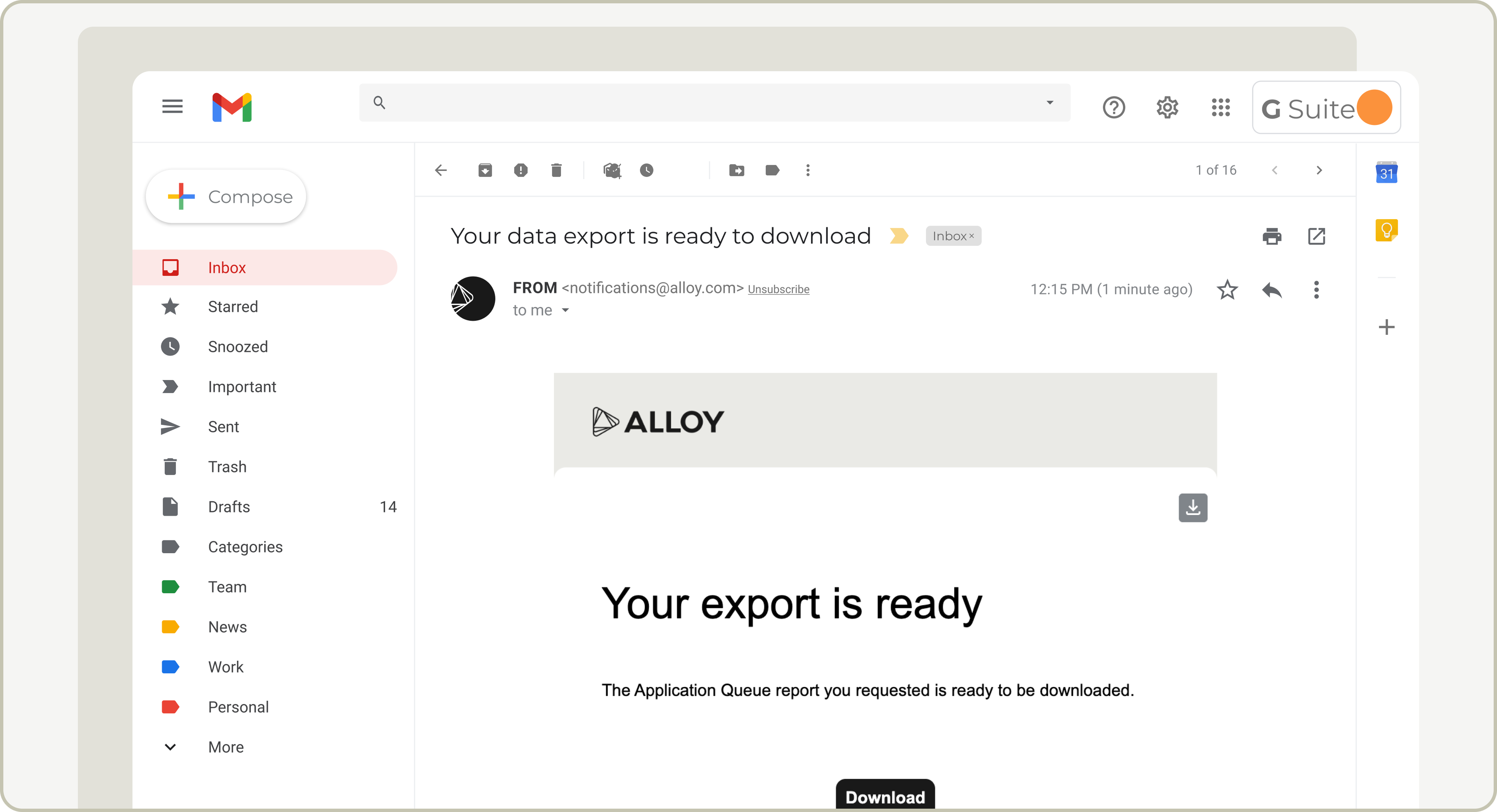
Email delivery for exports: After clicking Export, you’ll now receive an email from [email protected] with a link to download your file. This means you can safely navigate away from the page while your export processes, which is especially helpful for large data files.
Consistent column ordering: Columns in exported CSV files are now listed alphabetically across all exports for easier analysis and consistency.
Posted Sept 24, 2025
Vanity Domains
After logging in, your dashboard session will redirect to a secure, dashboard-specific vanity domain. The vanity domain is a personalized URL for your organization, using a unique identifier associated with your Alloy dashboard called a customer slug. This customer slug will become the first part of your new URL: https://{customer_slug}.app.alloy.com. This change helps us improve Alloy’s login security and streamline our authentication and architecture.
Posted Sept 10, 2025
Test your policy changes with Portfolio Evaluation Backtesting
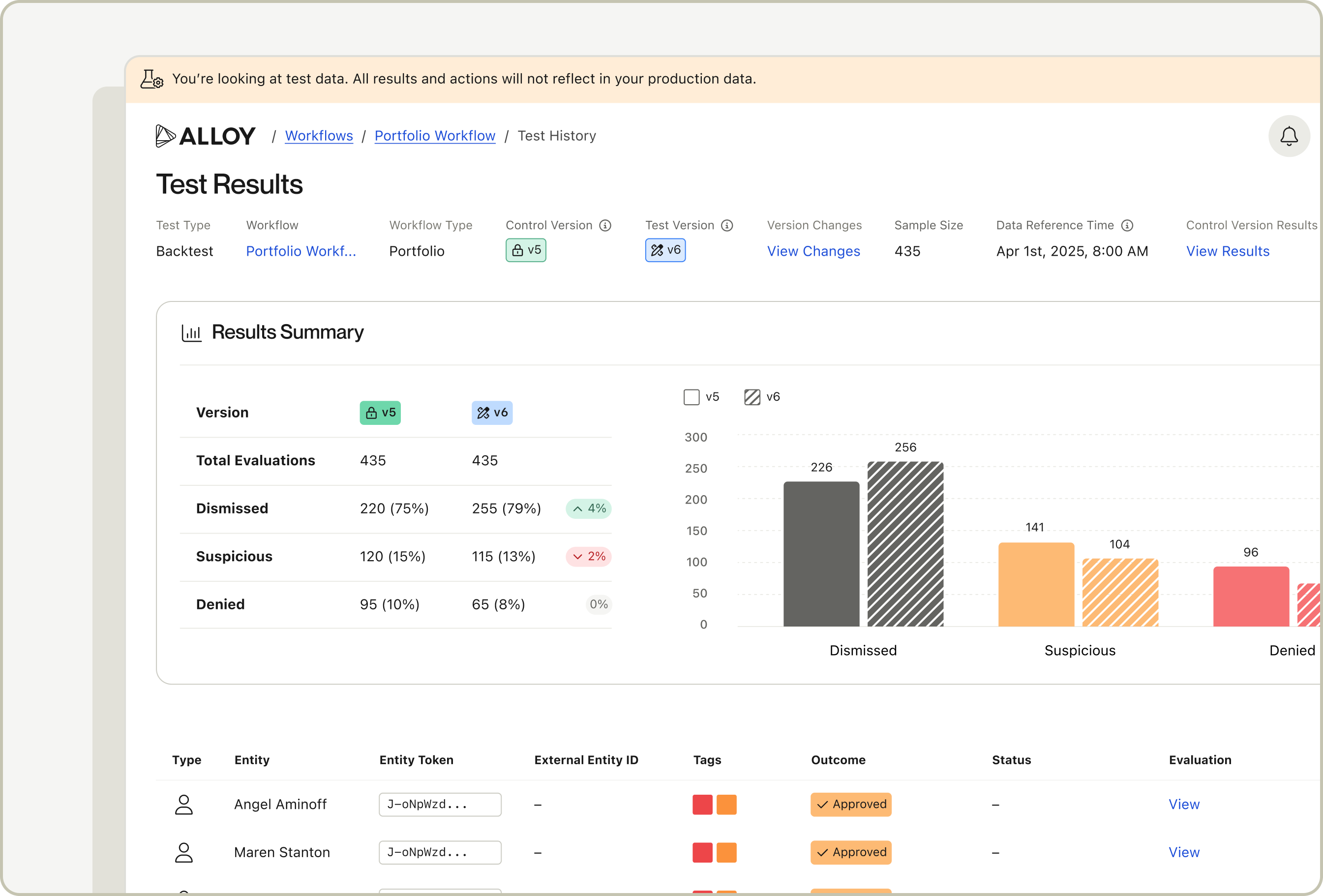
You can now test changes to your Portfolio Evaluation (PE) workflow with our new Backtesting tool. Use it when you’re considering a modification to a PE workflow, from a minor threshold tweak to a brand new aggregation, to clearly see the downstream effects.
Portfolio Evaluations are a way of conducting scheduled or on-demand risk assessments of your entire customer base. Unlike real-time decisioning that assesses entities when specific events occur (e.g. customer applies for an account, changes their contact info or initiates a transaction), Portfolio Evaluations involve running your entire (or subset of your) client base through a pre-configured set of rules, returning a list of entities which meet that criteria and subsequently creating alerts or applications for those entities. Portfolio Evaluations unlock a number of use cases including: perpetual KYC/B, proof of life checks, credit line management and product re-marketing.
The Portfolio Evaluation Backtesting feature works by running a historical "snapshot" of your portfolio through a new or modified workflow. It shows the impact that a change, like an altered threshold or a new rule, would have had on your results. This allows you to experiment and safely test changes to your PE workflow with zero impact on your production data.
To get started with this feature navigate to your Portfolio Evaluation workflow and click the “Test” button on the top right.
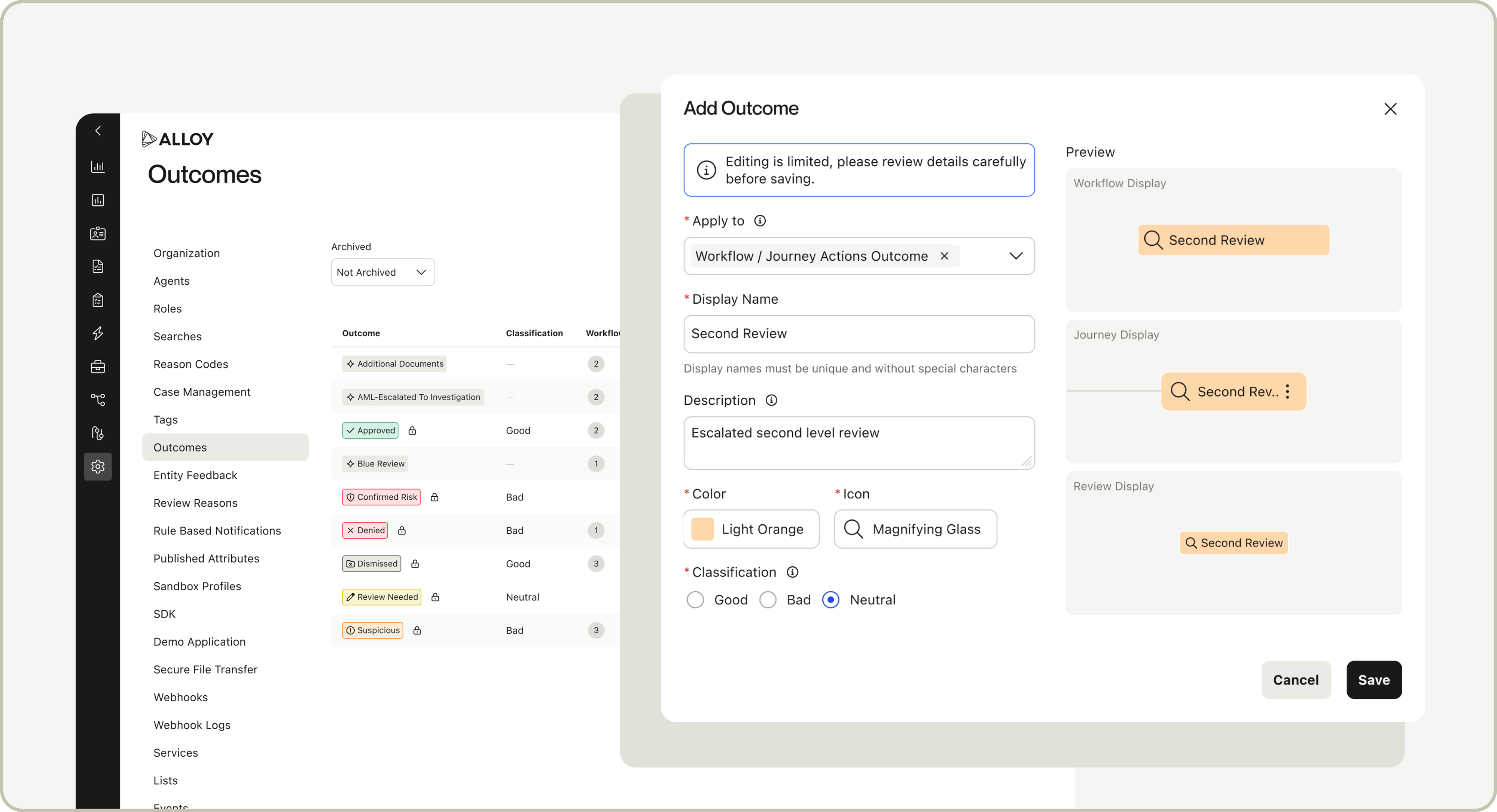
Alloy now supports custom Outcomes in Workflows and Journeys, which gives users the ability to tailor Outcome names, colors, and icons to better align to your organization’s risk review protocols and provide the right context for Evaluations, Applications, Alerts and Investigations. In addition, you can now add a characteristic to your Outcome letting Alloy know if the Outcome was good, bad, or neutral.
Here's what you should know:
Any existing or new custom Outcomes can be tailored in Settings
Preview how the customized Outcome will appear throughout the platform during creation
View the Workflows and Journeys where an Outcome is actively being used in our enhanced Outcome Settings Page
Posted Sept 2, 2025
Transaction & bank account details in Investigations
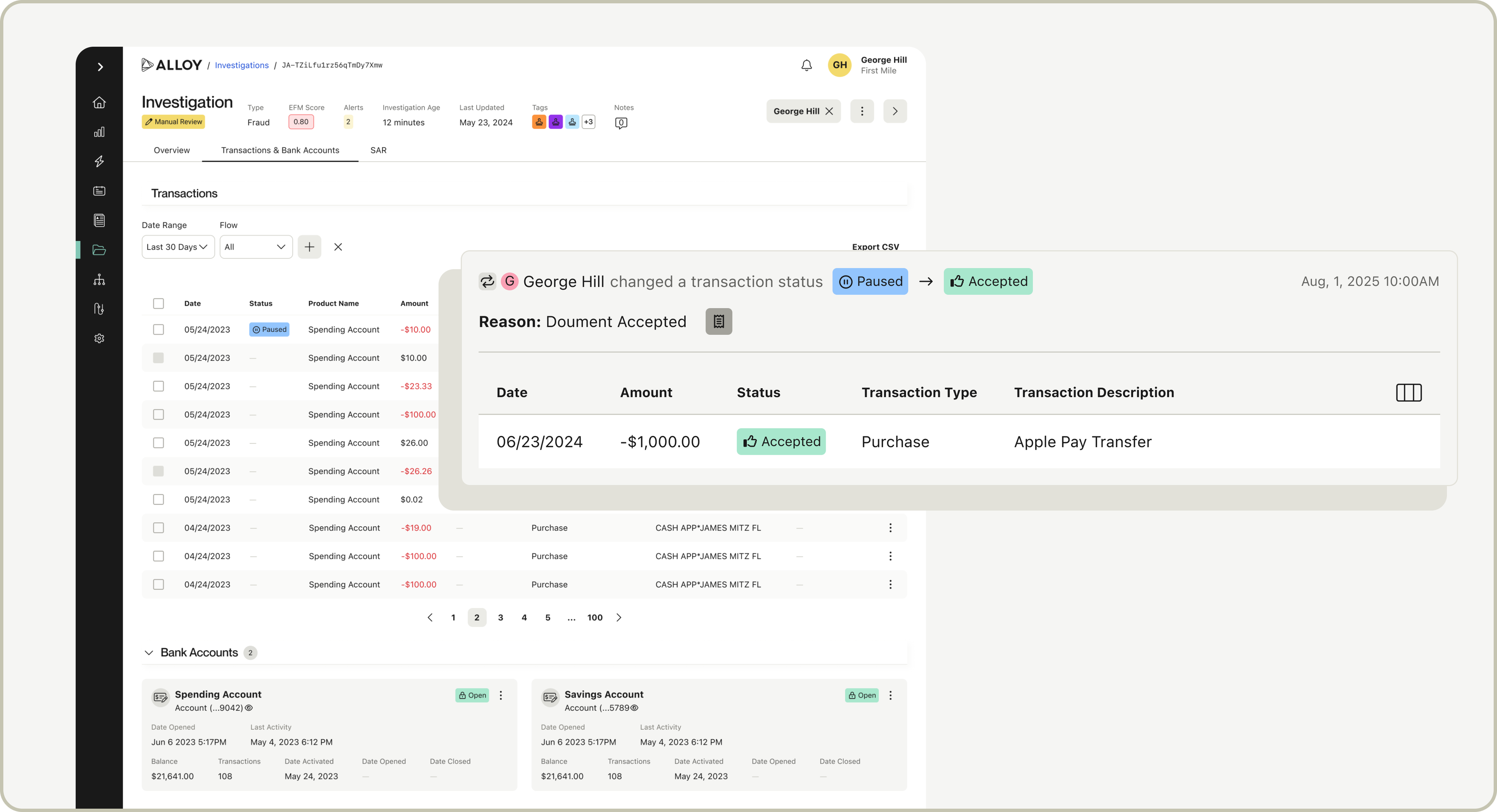
Transaction & Bank Account details now have a new and improved home within an Investigation. Investigations is our new unified alert triage and case management system that provides agents with a holistic view of entity risk, enabling your team to decision and action on suspicious activity within a single, intuitive interface.
Users can now review transaction history and bank accounts linked to an entity during an Investigation from the new, dedicated tab. Stop a transaction before funds can leave a customer's account, or freeze a bank account exhibiting risky behavior directly from the Investigation UI.
Here's what you should know:
This feature is available for all clients using Investigations*
Configure webhooks via Settings to be notified about status updates on transactions and bank accounts, which can be triggered directly from an Investigation
View a customer's transaction history and linked bank accounts in a dedicated tab within an Investigation
Update Permissions via Settings to provide specific roles with access to make status updates
*Not on Investigations and keen to learn more? Reach out to your Alloy representative.
Posted Aug 15, 2025
Introducing Product Updates on the Alloy dashboard
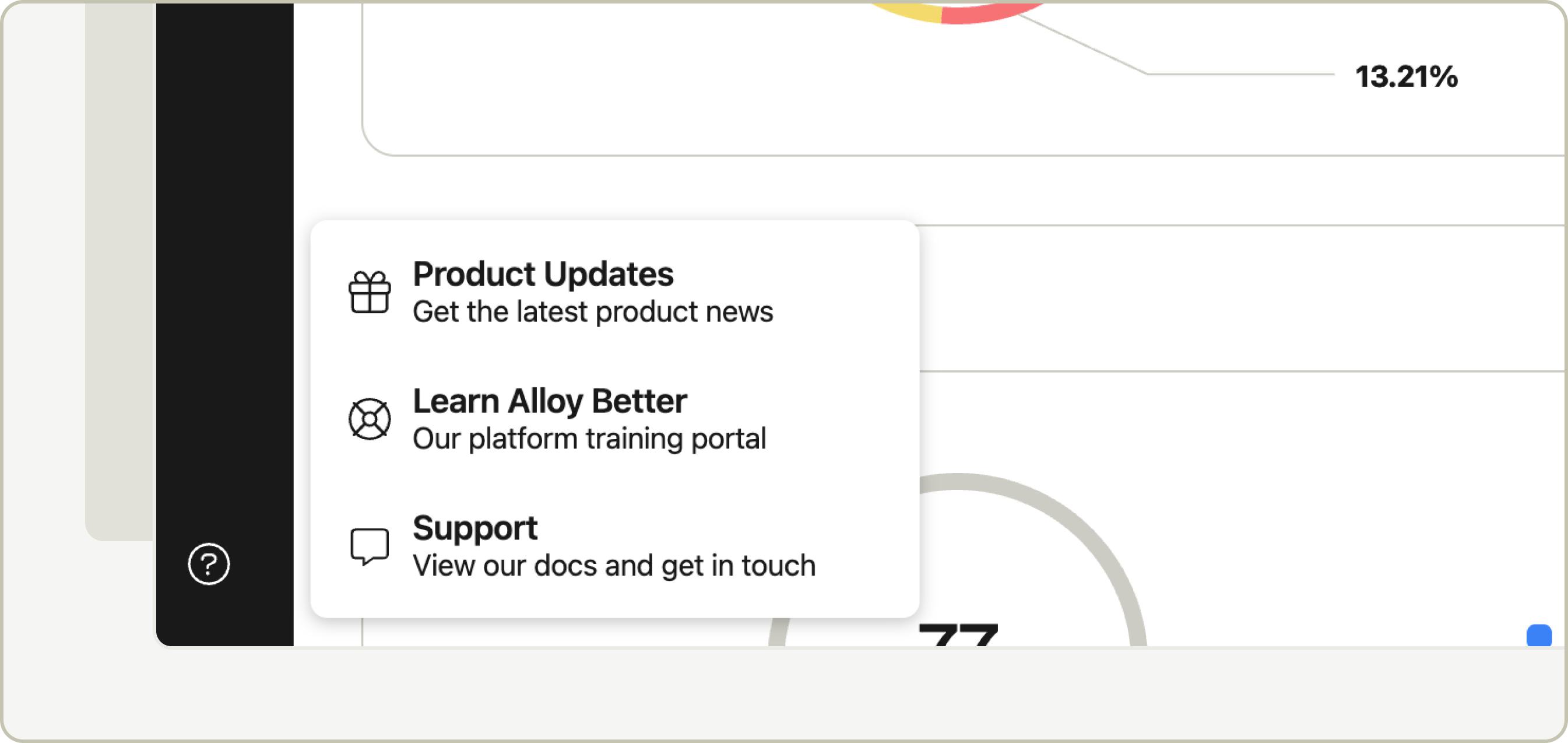
We’ve made it easier than ever to stay up to date with what’s new at Alloy. The new Product Updates section brings our changelog right onto the Alloy dashboard, giving you instant access to information about the latest features, enhancements, and improvements—without leaving the platform.
You’ll now see a dedicated feed of recent releases in the dashboard navigation under the Resources section. Each update includes a clear summary, helpful visuals, and direct links to supporting resources. To explore everything we’ve released, click View Entire Update Collection at the bottom of the preview modal, or head straight to the new Product Updates section on the Alloy website.
Clients can now view all entities that were evaluated, were processed through a portfolio evaluation, or were not evaluated but may have been passed on through the Events API or legacy Entities API (for example: if the entity was onboarded outside of your Alloy instance and/or there has been no associated activity that has since triggered an alert, that entity would be considered ‘unevaluated’). Previously, the Entities page only displayed entities that had undergone a real-time evaluation.
Additionally, for clients using portfolio workflows, the Entity Detail page now displays a list of portfolio evaluations that the entity has been shortlisted in. These updates enable Alloy to serve as the single source of truth, providing teams with complete visibility into all the entities in their portfolio and allows them to take action on these entities in the future (e.g. create an investigation on that entity).
Clients on the Alloy SDK can use the Prove Mobile Auth SDK Plugin to automatically verify a customer's device on page load if the device is connected to mobile carrier data and on a supported mobile carrier network. Prove Mobile Auth provides the same level of verification as Prove Instant Link.