Self-serve attribute management in the Partner Center
You can now create and manage the attributes that turn Partner Solution data into decision-ready values in your workflows.
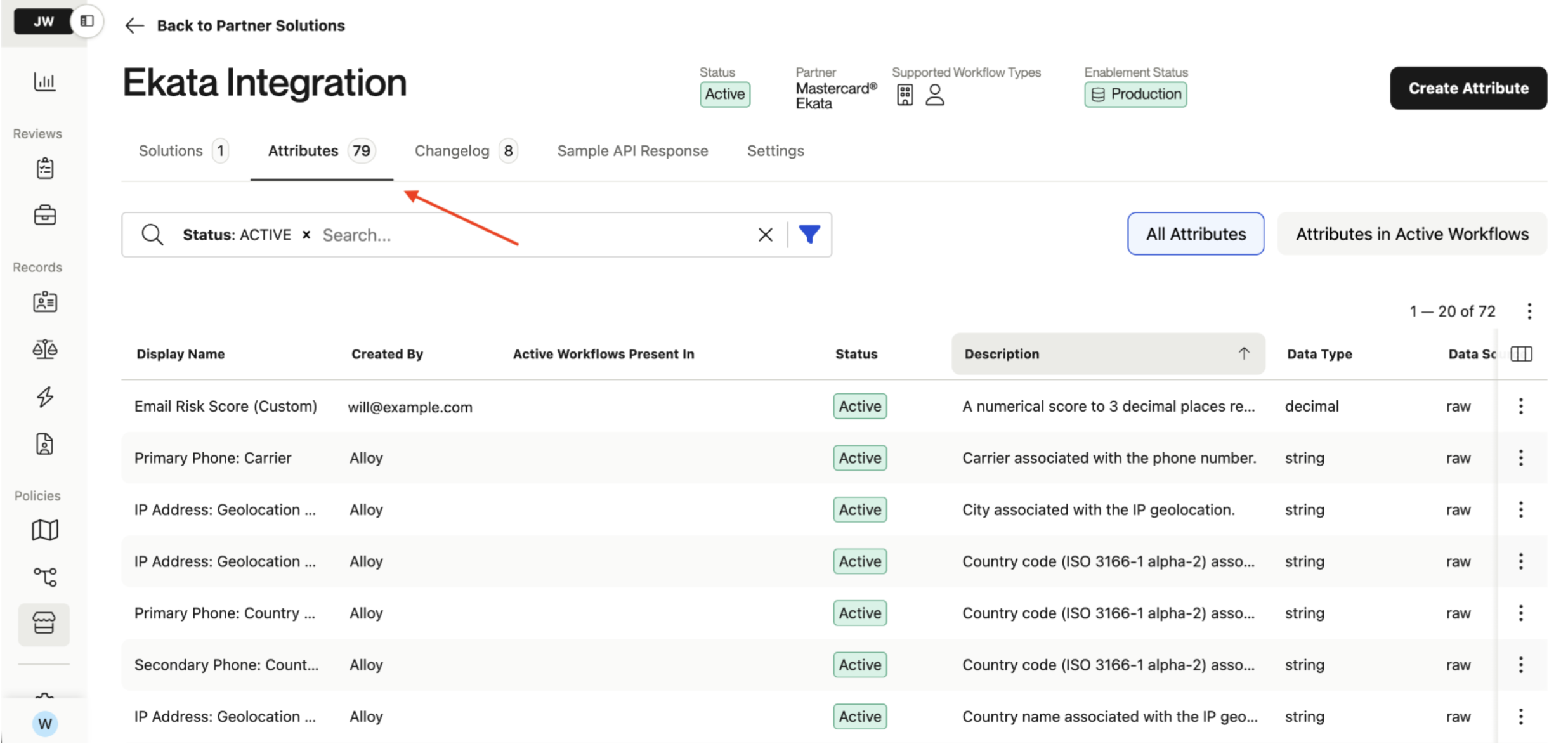
You can now browse, create, and manage solution attributes from each integration page within the Partner Center. Attributes translate raw JSON from a partner solution's API response into clean, usable values you can reference in workflow rules. Until now, creating or changing them required Alloy involvement. This update puts that control in your hands.
With the Attribute Tool, you can:
- Leverage pre-built attributes from Alloy: Get started faster with a library of pre-built attributes for every partner integration, alongside your custom ones. Filter to see which are active in your workflows to make it simpler to audit and refine your decisioning logic.
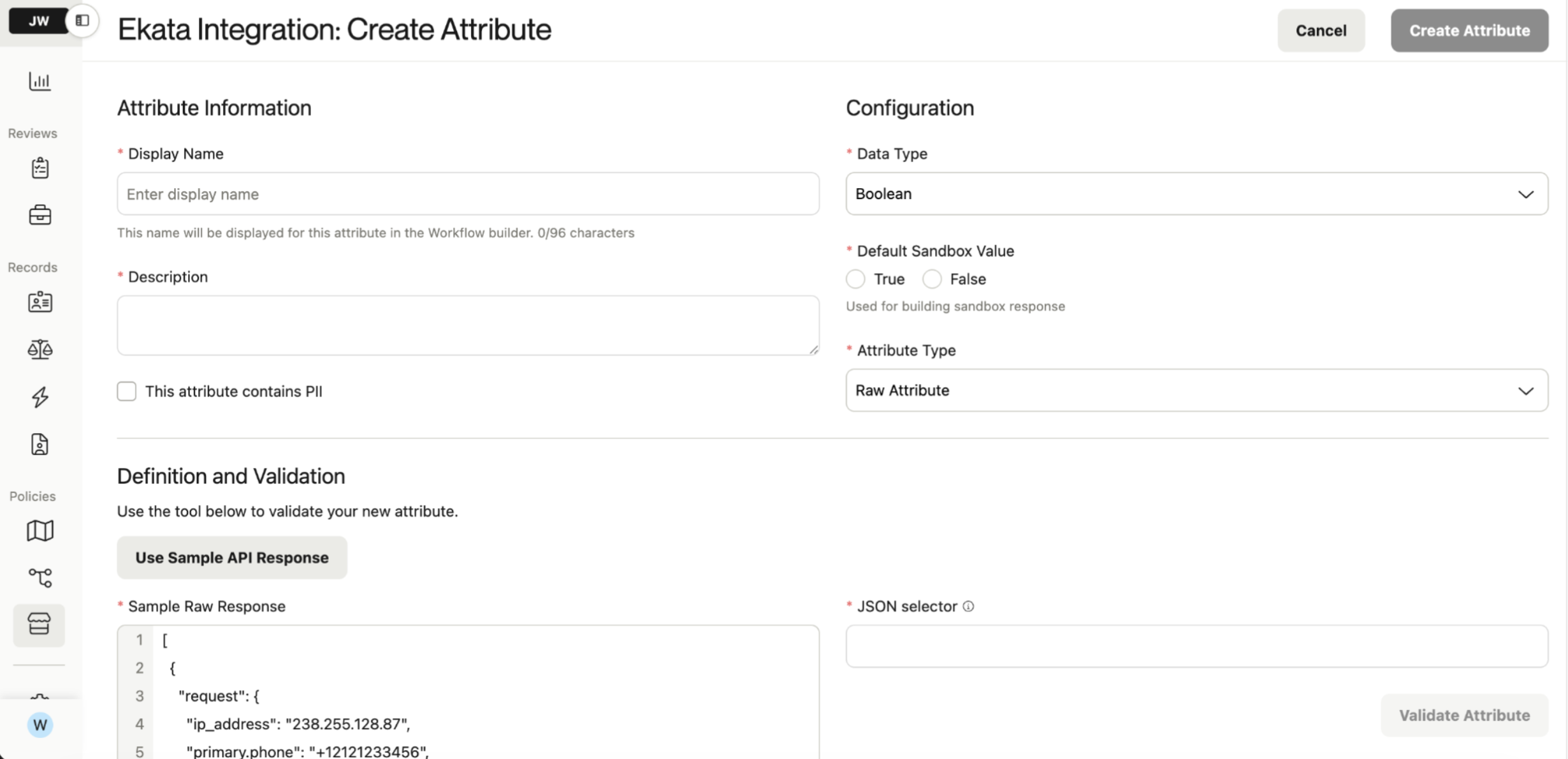
- Build custom attributes: Create attributes tailored to your needs, validated as you go. Load a sample API response, test your selector, and confirm everything resolves before saving. Custom attributes stay private to your account.
- Transform complex data with JQ: Parse arrays, handle nested fields, and apply custom transformations with JQ expressions.
- Track every change: Each integration includes a changelog that records what changed, when, and by whom, including field-by-field before/after values.
To get started, go to the Partner Center in your dashboard, select a solution, and open the new ‘Attributes’ tab. Admin roles have access by default, and permissions can be managed per role in Settings. You can find more details in this guide.