Updated Features

Alloy for Embedded Finance (AFEF) API Enhancements

PATCH Application Enhancement

AFEF clients can now update completed or in-flight Applications with the parent slug, giving users the ability to update parent associations at any stage in the applications process via the Applications Endpoint.  Parent auditor accounts are only able to view records assigned to them. To set this up, please reach out to your Alloy representative with any questions.

AFEF Entity Endpoint Enhancement

AFEF clients can confirm their parent mappings via the entity endpoint.  This enhancement gives clients the ability to ensure their mappings are correct in a quick and scalable way. Users can call the entity endpoint and retrieve the parent mapping in the header. To set this up, please reach out to your Alloy representative with any questions.

Workflow Editor Updates

We have made a few changes recently to our Workflow Editor user interface to help with readability and navigation.

Collapsed (and Expandable) Input Attribute Nodes

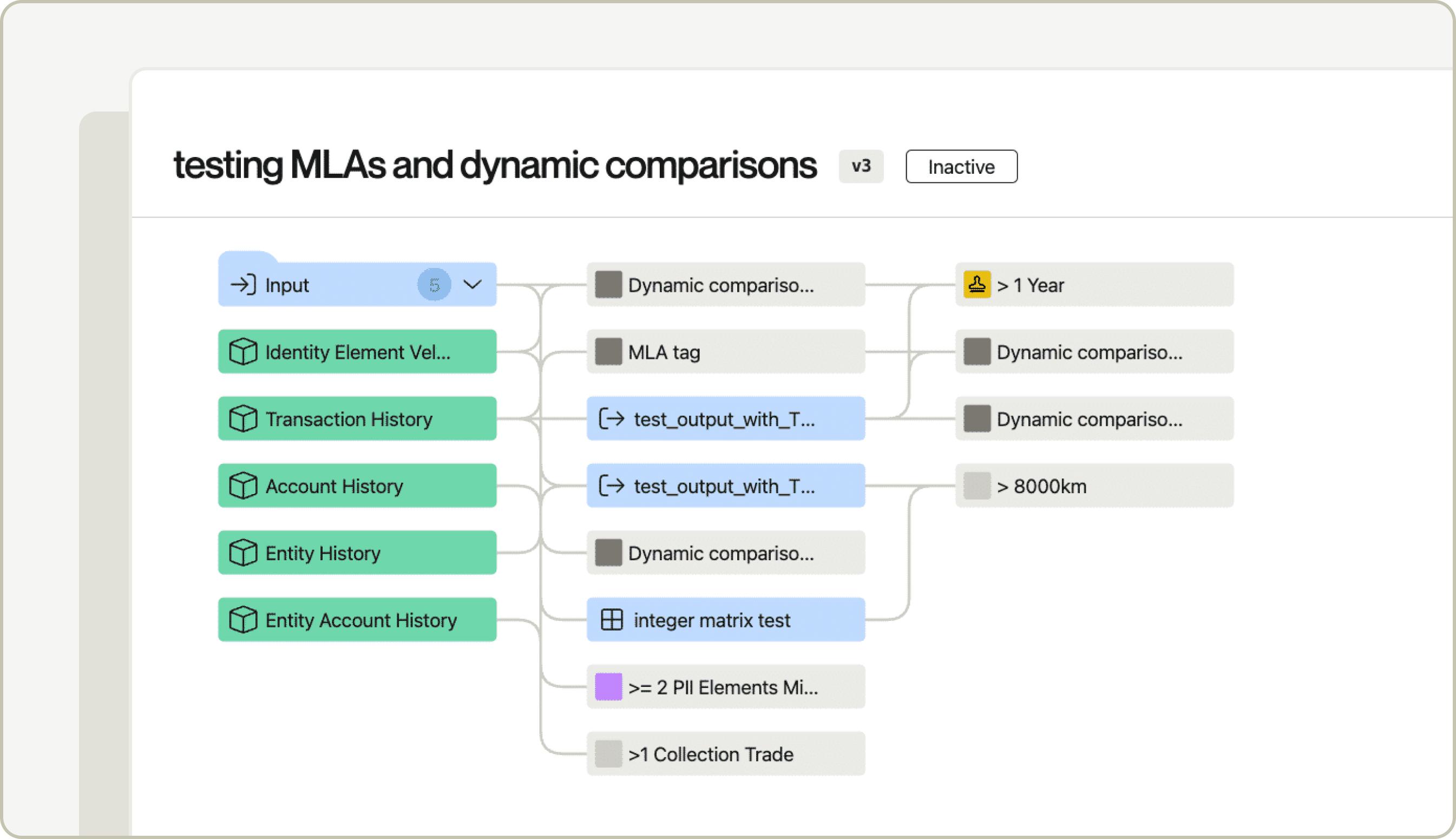
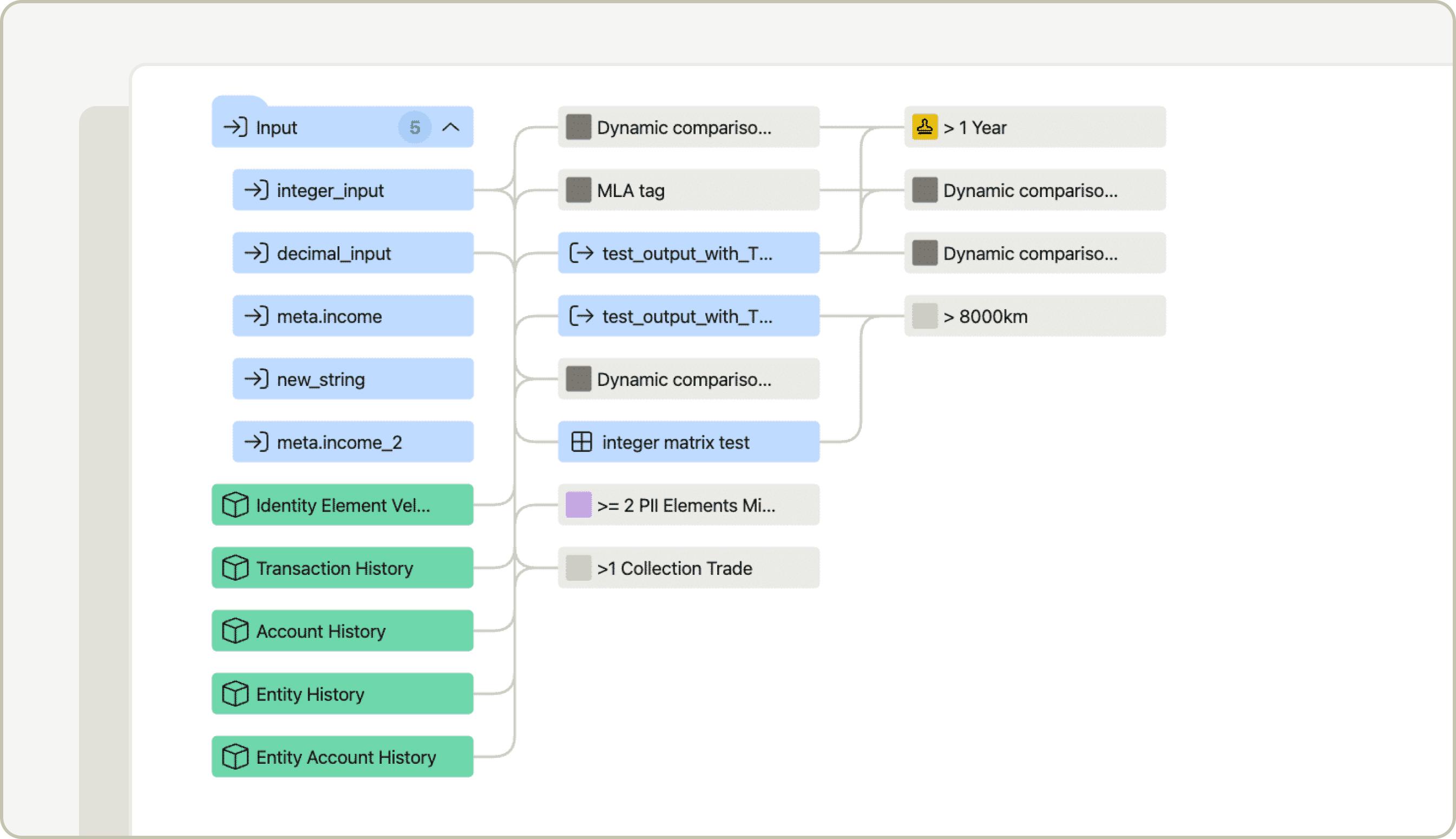
All input attributes will now appear collapsed under a single “inputs” node in your Workflow. You can add a child action off of this collapsed node, or you can choose to expand the node by pressing the downward caret on the node, and add individual child actions off of any individual input.

This can help to simply the view of a large complex Workflow with many inputs to make it more readable and digestible.

Collapsed View of the Input Nodes
Expanded View of the Input Nodes


New Paradigm of Node Ordering

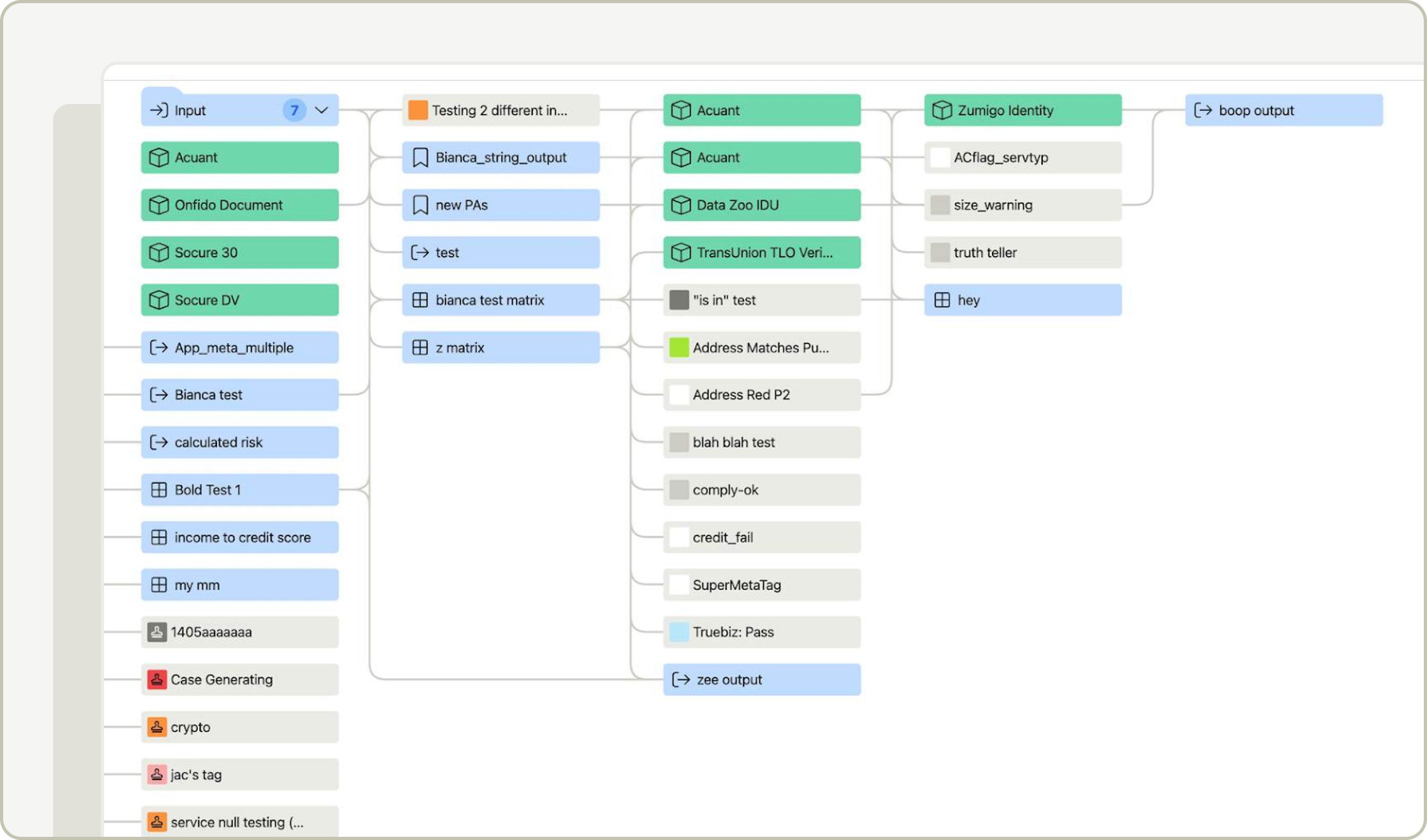
While the order in which nodes were saved to a Workflow version did not previously follow a set pattern, the nodes will now always be ordered in the following way (and this pattern will “stick” even after the Workflow version is saved):

Per column in the Workflow, nodes will be ordered by node type and then in alphabetical order. The order of node types in any given column is the following:

  • Service
  • Tag
  • Output Attribute
  • Matrix Model
  • Everything else

Example: This Workflow has five columns. In each column, Inputs are at top, followed by Services, then Tags, and so on. Within each node type, the nodes are sorted in alphabetical order. For example, in the third column, the green service nodes are in alphabetical order from top to bottom: Acuant, Acuant, Data Zoo, and TransUnion TLO .

NeuroID behavioral risk via Alloy SDK

NeuroID's behavioral risk service is now available via the Alloy web SDK for clients to use to prevent fraud. Clients can easily integrate it via the Alloy SDK in their account opening flow to track a user's behavior and send it to Alloy to be decisioned upon.

Please reference Alloy’s API docs or reach out to your CSM help on setup.

TruValidate device risk via Alloy SDK

Clients can now use the Alloy SDK to integrate TruValidate’s third party device risk to prevent fraud.

The Alloy SDK makes it easy for clients to integrate third party services without the need for extensive development effort. Please note, clients will still need to integrate separately to first party device risk (reverse proxy).

Please reference Alloy’s API docs or reach out to your CSM help on setup.

Onfido plug-in for SDK

The Alloy SDK now supports the Onfido flows for:

  • Facial Similarity reports (Photo, Photo Fully Auto, Motion and Video)
  • Proof of Address report
  • Identity Enhanced report
  • Document report


To get started, simply select "Onfido" as a plugin option in your workflow if you are already using the Alloy SDK. Dashboard setup instructions are here and API docs are here. Reach out to your CSM if you'd like to get it set up.

What-If Analysis enhancements

We’ve introduced a number of enhancements to What-If Analysis to support a wider range of use cases. What-If Analysis is a testing tool which allows clients to back-test changes to their policies within Alloy. Clients can:

  • Test changes such as removing or adding outcomes and output attributes
  • Select if they want to run a random sample size or a specific sample size
  • Select a sample size of up to 5000 evaluations
  • Select a date range for the evaluations they would like to back-test
  • Copy and paste in specific evaluation tokens they would like to back-test, filtering sample size by outcomes, tags and time-frame
  • Preview a list of the evaluations selected as part of the back-test
  • Generate test evaluations so they can visualize not only high level comparison results but really dive into each evaluation if needed.

To start using this capability, simply navigate to the Workflow editor and click the ‘Test’ button on the top right.

Customize SDK outcome screens

Clients can now customize the text that appears on the Alloy SDK flow outcome screens or choose to get rid of the screens altogether if they have their own splash page they'd like to show. This allows clients to ensure their step up verification matches their company’s desired tone and flow.

To get started, simply navigate to Settings > SDK > Customization section and edit the texts or check the box to remove screens altogether. Click 'Save customizations' to save your changes.

Sandbox profiles

Sandbox Personas live in a new page called "Sandbox Profiles" in the Settings menu and include the following enhancements:

  • Ability to name the profile
  • Add description of profile
  • Duplicate a profile
  • Associate with workflow
Back