Updated Features

Journey Builder Validation

Clients using Journeys will now see a "Validate" button on the Journey builder, which counts the number of Journey configuration errors you have, and, when clicked, shows you those errors on the builder itself. If you have at least one error, certain options from the ellipses menu on both the Journey builder and the Journey versions page will be disabled. Once all errors are fixed, those options will be enabled.

Please note, also, that we are also now requiring some kind of reconciliation logic to be set up on all Journeys, even if you are only sending single-entity applications through at this time. This is to help “future proof” your Journeys, in case you start sending in applications with multiple entities in the future!

Webview for Alloy SDK

The Alloy SDK now supports Webview for all document verification plugins. Clients can integrate the webview into any of their mobile applications!

Setup instructions can be found here for iOS and here for Android.

Customize SMS message in the Alloy SDK

The Alloy SDK now supports customization of the SMS text that gets sent to users who are directed to the mobile flow as part of business document collection.

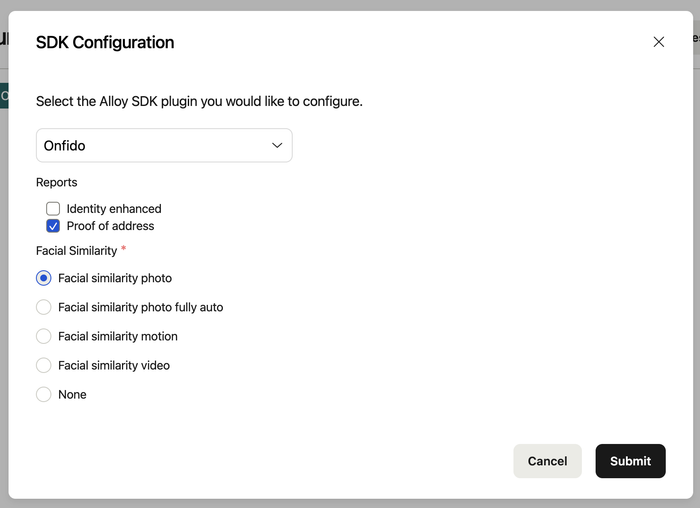
On the SDK Configuration screen, clients will be able to select the option ‘Business Document’ and enter text that will form the SMS message that will be sent to users.


Dashboard setup instructions for the Alloy SDK are here and API docs are here. Reach out to your CSM if you'd like to get it set up.

Re-run Journey application backend enhancements

We have updated our existing re-run application endpoint, making it possible to alter the payload data from the original run.

The API response and webhooks updates now allow clients to link the re-run(s) to the "root" JA in their system.

Check out our API Reference documentation here.

Persona Plugin Forms using Alloy SDK

The Alloy SDK supports Persona's Form template flow!

Clients can create a template in their Persona dashboard using their "database" form flow and input that template ID in their Persona Workflow SDK Config in the Alloy Dashboard.

If you’d like to get set up with Alloy SDK, please reach out to your CSM.

Socure Device Risk via SDK

Configuring front end integrations for device tracking is hard but with the same singular SDK integration, clients now have access to document verification, phone centric verification, and device risk. Please reference Alloy’s API docs or reach out to your CSM help on setup.

SumSub plug-in for Alloy SDK

The Alloy SDK now supports the SumSub document flow.

To get started, simply select "SumSub" as a plugin option in your workflow if you are already using the Alloy SDK. Dashboard setup instructions are here and API docs are here. Reach out to your CSM if you'd like to get it set up.

Journey viewing permissions

Clients using Journeys can now assign permissions to determine which Roles can view select Journeys, enabling clients to maintain separate access for their agents based on their organizational structure and business needs.

To get started, navigate to Settings > Roles. To enable access to all Journeys for a given Role, from the Roles section, check the top-level option ‘Journeys’. This means this role will have access to all non-archived Journeys (including draft versions) in the account, in addition to all Applications, Workflows, Evaluations, Reviews, and Entities associated with those Journeys. To restrict access to specific Journeys, choose the Journeys in the drop down – this will allow the user to have access to all Applications, Workflows, Evaluations, Entities, and Reviews that are associated with the Journey(s) selected there. To restrict access to Journeys altogether, deselect the top-level ‘Journeys’ option.

Note: these permissions will not override access for users who have access to ‘All workflows’ in Settings > Workflows.

Back