Updated Features

Improved CSV import process for Allow/ Deny lists

Alloy now provides a better CSV import experience for all users. This update makes it easier to validate the quality and format of the data being imported. Read our full documentation for how to use this new CSV import functionality.

Text strings now supported for Matrix Model Axis Headers

Alloy has introduced the ability to use text strings as the Axis Headers within Matrix Models for Credit Underwriting.

If your credit policy includes calculating a credit line assignment or APR using a two dimensional grid or matrix, Alloy’s Matrix Model feature is a great way to easily handle this logic.

We have expanded our existing Axis Header configurability options to now support the following:

Ranges (FICO Score): 300-500, 500-700, 700-850

Strings (Tier): Low, Medium, High

Webhooks authentication modal now available with support for OAuth 2.0

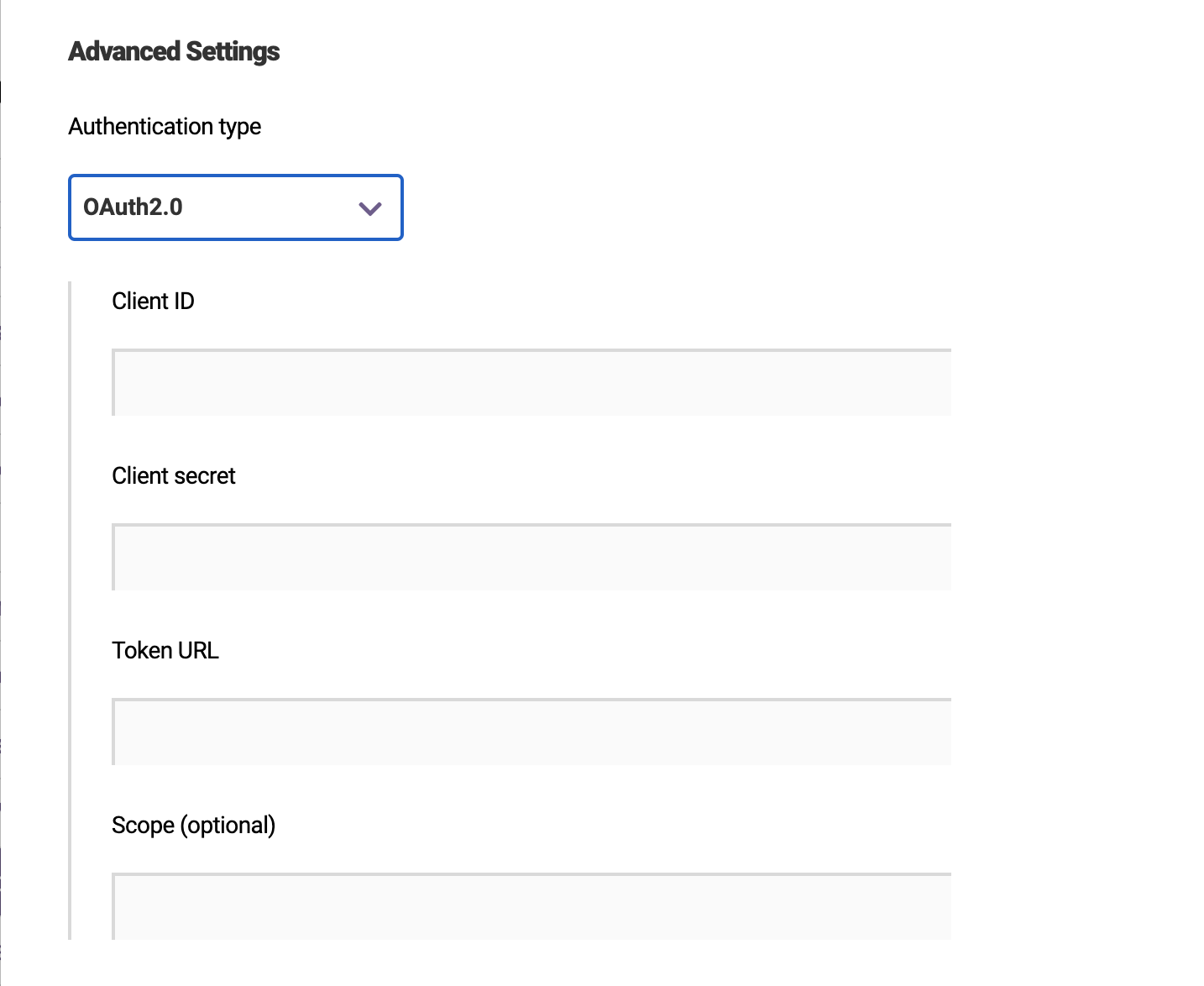
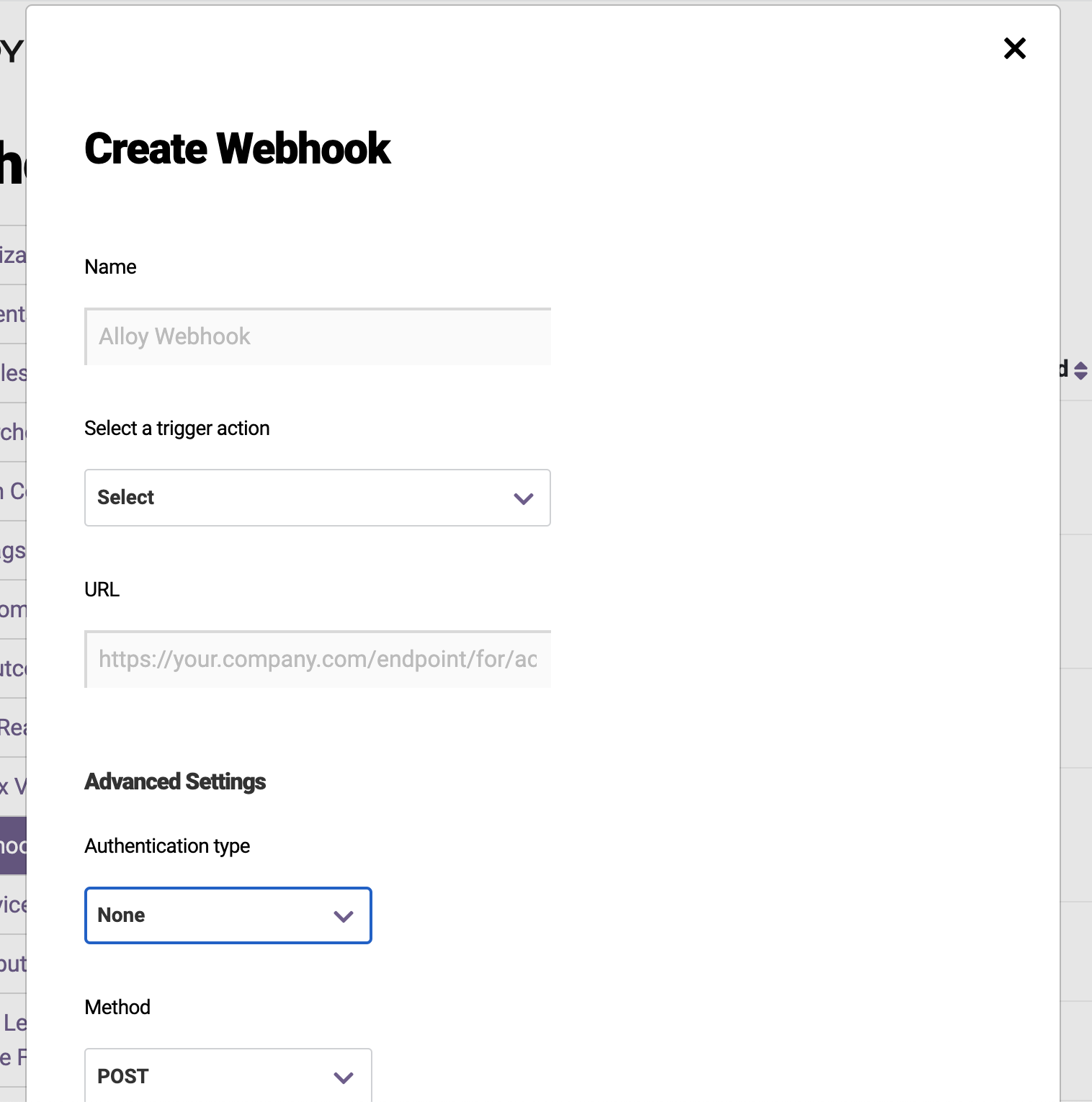
Alloy added a designated “Authentication” section to the webhooks modal and added support for a new authentication type - OAuth 2.0 client credential flow. With this addition, we now support No Auth, Basic Auth, and OAuth 2.0.

When you create a webhook (or edit an existing webhook), there is now a section to select “authentication type”. You can select None, Basic or OAuth 2.0.

Webhook 1
Webhook 2

Use Journeys for document verification step ups

For clients using Journeys, Alloy will now handle the transition and state management of an Entity between workflows and document verification step ups for you.

Read more about Journeys on our blog. If you’d like to try Journeys, reach out to your CSM or [email protected] to learn more.
Dashboard webhooks now do exponential backoff retries

Dashboard webhooks now all do exponential backoff retries. Prior to this, some webhooks did not do this. The following webhooks now also allow for retry:

  • Manually Review an Entity
  • Manually Review an Group
  • Create new notes for Entities, Evaluations, Reviews, and Documents

Alloy now has consistency across all our webhooks.

Outcomes can now be deleted

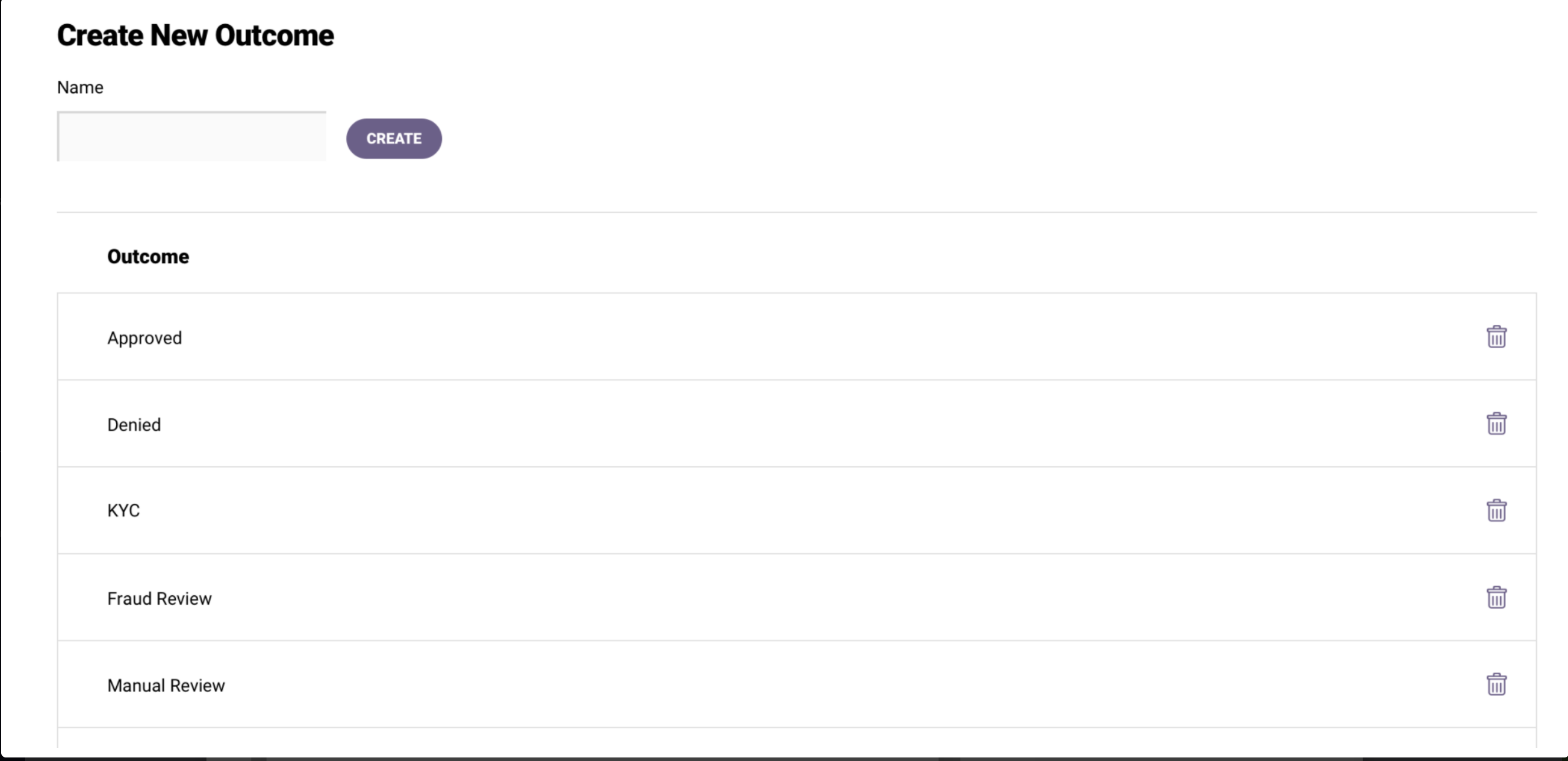
Previously Outcomes (e.g., Approved, Denied, Manual Review) could not be deleted once they were created. Once an Outcome is deleted, it will be removed from the outcomes dropdown on the following pages:

  • Evaluations
  • Entity
  • Workflow Editor
  • Review Queue
  • Review Reason when manually reviewing an entity

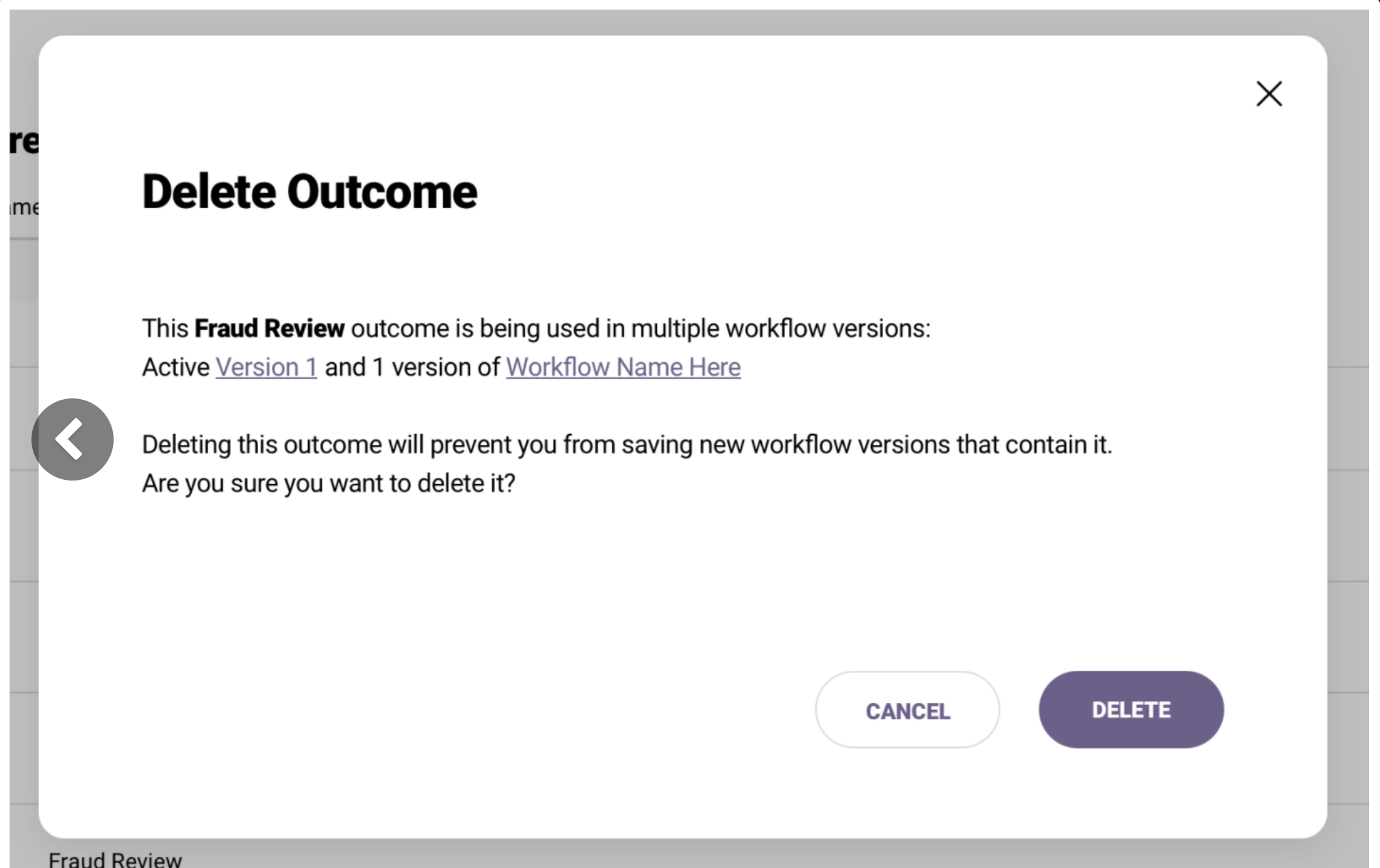
To delete an Outcome, go to Settings > Outcomes and click the trash can symbol next to the Outcome you would like to delete.

If an Entity had previously been assigned a deleted Outcome, nothing will change for that Entity. The deleted Outcome will still be reflected for that Entity.

Permissions will be set so that any agent that can create Outcomes can also delete them.

Create new outcome
Delete outcome

New What-If user permission now available

Admins can now set a permission to allow users to run What-If Analysis but not save changes. To set this permission, go to Setting > Roles.

What If Permission


To learn more about the What-If Analysis feature, view our documentation here.

2 new string comparisons: "Contains" and "Does not contain"

2 new string comparisons now available: "Contains" and "Does not contain".

Prior to this we supported the following comparisons for strings:

  • equals
  • not equals
  • regex match
  • regex no match

"Contains" and "does not contain" are now available in this dropdown list. They are case insensitive.

Back